Tomorrow, at 2:00p, is the Mac Play class, subject TBA, at Di-No Computers.
Di-No Computers
2817 E. Foothill Blvd.
Pasadena, CA 91107
(626) 795-6674
Tomorrow, at 2:00p, is the Mac Play class, subject TBA, at Di-No Computers.
Di-No Computers
2817 E. Foothill Blvd.
Pasadena, CA 91107
(626) 795-6674
Tomorrow, at 2:00p, is the iPad Basics class, focusing on Mail, Contacts, and Calendar, at Di-No Computers.
Di-No Computers
2817 E. Foothill Blvd.
Pasadena, CA 91107
(626) 795-6674
You remember the second Mac commandment, don’t you??

The Sweet Setup recently went on a backup jag, and had some interesting things to say on the subject:
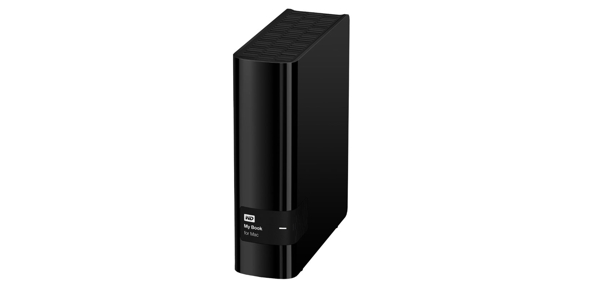
Of course, you need something to backup *to*, if you’re doing a local backup… They have that covered, too. PYBT: Our favorite external hard drive (WD My Book Hard Drive for Mac).
Whaddya think? Agree? Have a different scheme in place? Comment and let us know.
I’ll add things as I find ’em, or as they’re suggested. And remember, always think, lest you be clinked!
Heartbleed is going to be a much smaller issue than the press have made it out to be. A VPN is ALWAYS a good idea – so long as your router is secured properly in the first place. The number of actual breaches is going to be small – zero for any major site like Google or Twitter or Facebook – because they know how to manage this type of problem correctly. Small private Web sites run by non-technical people are a different story – but these have ALWAYS been insecure.
The biggest threat to YOU as an end user is STILL your home router and personal computer, tablet, phone, iPod, etc. Most of you are STILL running Windows XP: this is 10,000 times more dangerous than Heartbleed at its worst. Most of you haven’t updated your anti-virus software for months – if you even HAVE AV software – and your home router is probably sitting wide open to any drive-by hacker. You probably don’t have any clickjacking protection on your browser, and you probably blindly follow links and spurious e-mail messages that promise “free” stuff. You never bother to check links in e-mail for THE REAL addresses they link to, or verify that the e-mail address that says it’s from your best friend is really theirs.
Yes, security breaches DO happen, and because of crappy passwords, you’re probably going to get hijacked at some point. All things YOU can prevent.
Do your homework! Learn some good practices from articles at CNET or Microsoft or the “Dummies” books. Once you’re secured to best practices standards, THEN you can worry about threats like Heartbleed that are completely outside your control.
Heartbleed could have you bleeding from more than your heart.
What’s it all mean to us Mac and iDevice users? Bob sent along this very informative, understandable piece he received this afternoon from Intego (his anti-virus/anti-malware/anti-other-yucky-stuff package):
Earlier this month, the OpenSSL project issued an emergency security advisory that warned about an open bug called “Heartbleed”. This serious vulnerability could lead to malicious hackers spying on what were thought to be secure Internet communications.
Here at Intego, we take our responsibility to protect you very seriously. It’s to this end that we wanted to send out an update and provide some resources to keep you well-informed. See the Mac Security Blog for the top FAQs on Heartbleed for Mac and iOS users.
Am I at risk if I use a Mac? What about an iPhone or iPad?
We cannot stress this enough: while Apple products may be “safe” encrypted data is not. The Heartbleed bug enables the theft of information otherwise protected by SSL/TLS encryption, and it affects many of the Web sites and other Internet services you use. If the services use OpenSSL to help manage the flow of encrypted data, it doesn’t matter if you’re on a Mac or a Windows computer, your data may be at risk.Which Web sites are vulnerable to the Heartbleed bug? Continue reading
At The Sweet Setup:
Every week we post a new interview with someone about what software they use on their Mac, iPhone, or iPad. We do these interviews because not only are they fun, but a glimpse into what tools someone uses and how they use those tools can spark our imagination and give us an idea or insight into how we can do things better.
Today’s victim, er, interviewee:
I’m Chris Humphries. I’m a Digital Media Specialist and media production lab (or “Media Commons”) manager at the University of Alabama at Birmingham, more specifically at UAB Digital Media. Essentially I work with a great team of folks way smarter than I am to help students, faculty, and staff produce high-quality media content and research new ways of delivering content and information. I handle the hardware (Mac computers and an assortment of A/V gear) and software (Final Cut Pro X, the Adobe suite, etc.) side of things, making sure everything works well and helps get the job done.
You can catch Chris’s complete story here: Chris Humphries’ sweet setup.
“Back issues” can be found here: Sweet Setup Interview.
by Lynn Wegley, InfoManager, with co-editor Fred Showker
What’s Here:
01 UGNN Heartbleed Infomanager Report for April 2014
02 Easter fun for young and old
03 iPad InfoManager: April iPads info and rumors roar into spring
04 Optimize Your Wi-Fi Network with OS X
05 Cocktail 7.4 (Mavericks Edition)
06 Harry and Lulu: YTMS Guided Read-Aloud Book Shows How to Read to Kids
07 IDG: Introverts vs. Extroverts in Tech
08 Nine plug-ins for Apple Mail
09 Intego’s Flagship Mac Internet Security Suite
10 SMSLater for iPhone
11 Math Stars 3.1 released for iPad – Popular Educational Game
12 Introducing Chore-inator, Making Household Chores Easy
13 Quotes: Get to work Continue reading
Tomorrow, at 2:00p, is the Mac Work class, subject TBA, at Di-No Computers.
Di-No Computers
2817 E. Foothill Blvd.
Pasadena, CA 91107
(626) 795-6674
MakeUseOf wants to know: How Many Books Do You Have On Your eReader?
Go on over and let ’em know. The poll is down towards the bottom of the page.
We want to know, too! Leave a comment.
I dunno; you tell me…
MacHeist has lost their minds! They’re offering an Apple Design Award Bundle, nine top Mac apps worth $1,776.00, for $19.99!!
| Boinx TV | $499.00 value |
| MacJournal | $40.00 value |
| Toon Boom Studio | $249.00 value |
| AccountEdge Pro | $399.00 value |
| iSale | $25.00 value |
| Picturesque | $15.00 value |
| Starry Night Pro | $150.00 value |
| Xojo Desktop | $300.00 value |
“But, wait…” I hear you say; “That’s only eight…” Glad you mentioned that!
The ninth app, ScreenFlow, only gets unlocked if 20,000 bundles are purchased. And there is a catch: you have less than five hours from now (3:07p) to grab the bundle.
And where’s the coincidence? Oh, yeah: ScreenFlow is one of the things Dave and Scott are planning to show off at this month’s meeting!